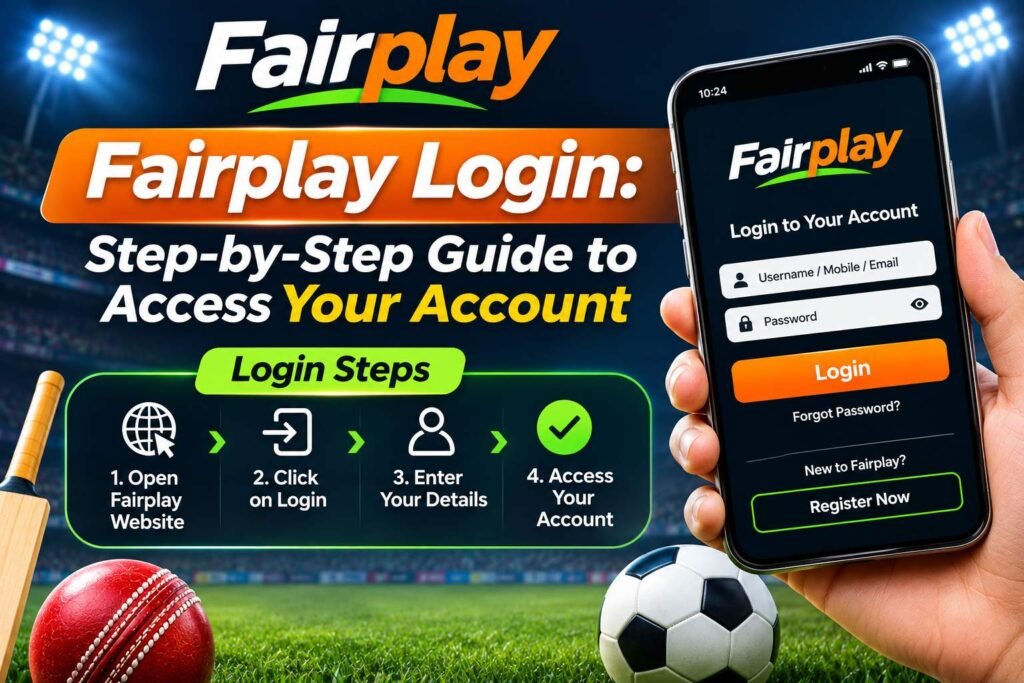

Accessing an online platform requires more than simply opening a website and entering account details. Users should understand how login systems work, what information may be required, and how to identify potential security risks. This is why Fairplay Login is a commonly searched keyword among people looking for information about Fairplay-related online services.
Whether you are researching the platform for the first time or looking for general information about account access, understanding the authentication process can help you make informed decisions.
This guide explores the Fairplay login process, account credentials, mobile compatibility, common technical problems, website security, and important legal considerations. It also answers frequently asked questions to provide a better understanding of online account access.
Introduction to Fairplay Login and Account Access
Fairplay Login refers to the account authentication process associated with Fairplay-branded online services. Like other digital platforms, an account system may use different verification methods to identify users and protect account information.
Depending on the particular service, users may encounter different authentication requirements, including:
- Registered username or mobile number.
- Personal account password.
- One-time password (OTP) verification.
- Additional identity or security checks.
The exact login requirements depend on the website and its policies.
Before accessing any website associated with the Fairplay name, users should independently verify its authenticity. A website displaying familiar branding does not automatically establish that it is genuine, authorised, or legally permitted.
Important Things to Understand Before Accessing Fairplay
Before interacting with an online platform, it is worth checking a few important details. These checks can help users avoid fraudulent websites and protect their personal information.
Website Authenticity: Examine the complete domain name and look for spelling mistakes, suspicious variations, or unfamiliar addresses.
Privacy Policy: Understand what personal information the website collects and how it may be processed or shared.
Terms and Conditions: Read the available terms to understand the service’s policies and eligibility requirements.
Legal Availability: Check whether the particular service and activity are permitted under the laws applicable to your location.
Device Security: Use an updated browser and a device protected with appropriate security settings.
These precautions are particularly important when dealing with websites that request personal or financial information.
Understanding the Information Required for Fairplay Login
Online account authentication generally involves identifying a registered user and confirming their identity. Different platforms may use different combinations of credentials.
Registered Username or Mobile Number
Some account systems use a username or registered mobile number as the primary account identifier. This information helps distinguish one account from another.
Password Authentication
A password provides an additional layer of account protection. Users should choose unique passwords that are difficult to guess and avoid using personal details such as birthdays or phone numbers.
OTP-Based Verification
One-Time Password verification is used by some online services to confirm account ownership. An OTP is generally temporary and should never be shared with another person.
Additional Security Verification
Certain services may introduce additional checks when they identify unusual login activity or an unfamiliar device.
Understanding these authentication methods helps users recognise how digital account security works.
Fairplay Login Process: Understanding the Different Stages
The login process on an online platform usually follows a structured authentication procedure. Although the exact Fairplay interface and requirements have not been independently verified, the following stages explain how common account login systems operate.
Stage 1: Website Identification
Users first need to identify the website they intend to access. Checking the domain and independently verifying the website’s identity are important security precautions.
Stage 2: Account Identification
An authentication system may request a username, registered mobile number, or another approved account identifier.
Stage 3: Credential Verification
The system checks the submitted account information against its authentication records.
Stage 4: Additional Security Checks
Some platforms may require OTP verification or other security checks before allowing access.
Stage 5: Account Authentication
If the required checks are successfully completed, the system may provide access to the features permitted by its policies.
These are general authentication stages, not confirmed instructions for a specific Fairplay website.
Fairplay Mobile Login: Understanding Smartphone Compatibility
Smartphones have become an important part of everyday internet usage. Many users prefer mobile browsers because they allow convenient access to websites from different locations.
When researching Fairplay Mobile Login, users should understand that mobile compatibility depends on the particular website and browser.
Here are some important considerations:
- Use an updated mobile browser.
- Maintain a stable internet connection.
- Avoid installing applications from unknown sources.
- Check the website address before entering personal information.
- Keep your smartphone’s operating system updated.
- Avoid saving confidential credentials on shared devices.
Mobile Browser vs Desktop Browser
| Feature | Mobile Browser | Desktop Browser |
| Navigation | Touch controls | Mouse and keyboard |
| Display | Compact screen | Larger screen |
| Portability | Easy to carry | Less portable |
| Compatibility | Depends on mobile browser | Depends on desktop browser |
| Security | Depends on device settings | Depends on system settings |
Both devices can provide a convenient browsing experience, but neither is automatically safe. Good security practices remain important regardless of the device.
Common Fairplay Login Issues and Their Possible Causes
Sometimes users experience difficulties while accessing online accounts. These issues may be caused by incorrect information, browser settings, connectivity problems, or temporary technical interruptions.
Incorrect Login Credentials
An authentication system may reject information that does not match its account records. Typing mistakes, forgotten passwords, or incorrect usernames may cause this problem.
Users should verify their information rather than repeatedly entering random credentials.
OTP Verification Delays
OTP messages may occasionally be delayed because of network problems or communication service interruptions.
Check your registered contact information and ensure your device can receive messages. Never disclose verification codes to anyone.
Website Loading Problems
A website may not load properly because of an unstable internet connection, browser compatibility, or temporary server issues.
Checking your internet connection and updating your browser may help identify the cause.
Temporary Account Restrictions
Some services temporarily restrict access following repeated unsuccessful authentication attempts or unusual account activity.
If this happens, follow the service’s verified account recovery or support process rather than attempting to bypass security restrictions.
Browser Compatibility Issues
Older browsers may not support certain website features. Keeping your browser updated can improve general compatibility and security.
Essential Security Practices for Protecting Account Information
Online security should always be a priority. Users should understand how their information can be exposed and what precautions can reduce potential risks.
Create Strong Passwords: Choose unique passwords containing a combination of letters, numbers, and special characters.
Keep OTPs Private: Never share temporary verification codes with unknown individuals or people claiming to represent customer support.
Avoid Unverified Links: Fake login pages may imitate familiar brands to collect usernames and passwords.
Use Trusted Devices: Avoid entering confidential information on public computers or shared devices.
Review Website Permissions: Be cautious when a website requests unnecessary access to personal information or device features.
Monitor Suspicious Activity: Pay attention to unexpected notifications, unusual account activity, or suspicious communication.
Following these practices can improve general online account security.
How to Identify Fake Fairplay Login Websites
Fake websites are a common internet security concern. Some fraudulent websites copy logos, colours, and layouts to create an impression of authenticity.
Here are some warning signs users should recognise:
- Unusual Domain Names: Look for spelling mistakes or unfamiliar website addresses.
- Missing Website Information: Be cautious if privacy policies, terms, or company information are unavailable.
- Suspicious Payment Requests: Avoid transferring money to unverified personal accounts.
- Unrealistic Promises: Guaranteed financial returns and risk-free claims should be treated with caution.
- Fake Customer Support: Never trust unknown representatives requesting passwords or OTPs.
- Unverified Downloads: Avoid installing files from websites that cannot be independently verified.
If you suspect a website is fraudulent, stop interacting with it and avoid sharing further information.
Frequently Asked Questions About Fairplay Login
Q1. What is Fairplay Login?
Fairplay Login is a commonly searched term associated with accessing accounts on Fairplay-branded online services. It generally refers to an account authentication process.
Q2. What information may be required for Fairplay Login?
Depending on the particular service, authentication may involve a registered username, mobile number, password, or additional identity verification.
Q3. Can Fairplay Login be accessed through a smartphone?
Some related websites may provide mobile-compatible interfaces. Users should independently verify website authenticity and legal availability before accessing any service.
Q4. Why is the Fairplay login page not loading?
Possible reasons include internet connectivity problems, browser compatibility issues, temporary website interruptions, or access restrictions.
Q5. How can users protect their account information?
Use unique passwords, avoid suspicious links, keep OTPs private, and never share confidential information with unknown individuals.
Q6. Is Fairplay Login safe in India?
The safety and legality of a particular service depend on its authenticity and the activities it offers. Users should understand applicable Indian online gaming regulations before engaging with related services.
Q7. Should I use third-party Fairplay login links?
Unverified links may expose users to phishing and data theft. Always verify a website independently before entering personal information.
Q8. What should I do if someone requests my OTP?
Never share your OTP. It is a confidential verification code intended to help protect account access.
Conclusion
Understanding Fairplay Login: Step-by-Step Guide to Access Your Account involves more than learning about an online sign-in system. Website authenticity, account verification, mobile compatibility, privacy protection, and legal awareness are equally important.
By understanding these aspects, users can make better-informed decisions when researching online platforms. Always verify a website before sharing personal information, review its policies, and understand whether its services are legally permitted in your location.
A safer online experience begins with awareness, responsible browsing, and protection of personal information.